Type
Integration
Difficulty
Easy
Duration
5 minutes
Step 1
Navigate to the App Store
Log into Shopify Admin
Go to yourstore.myshopify.com/admin and sign in with your credentials
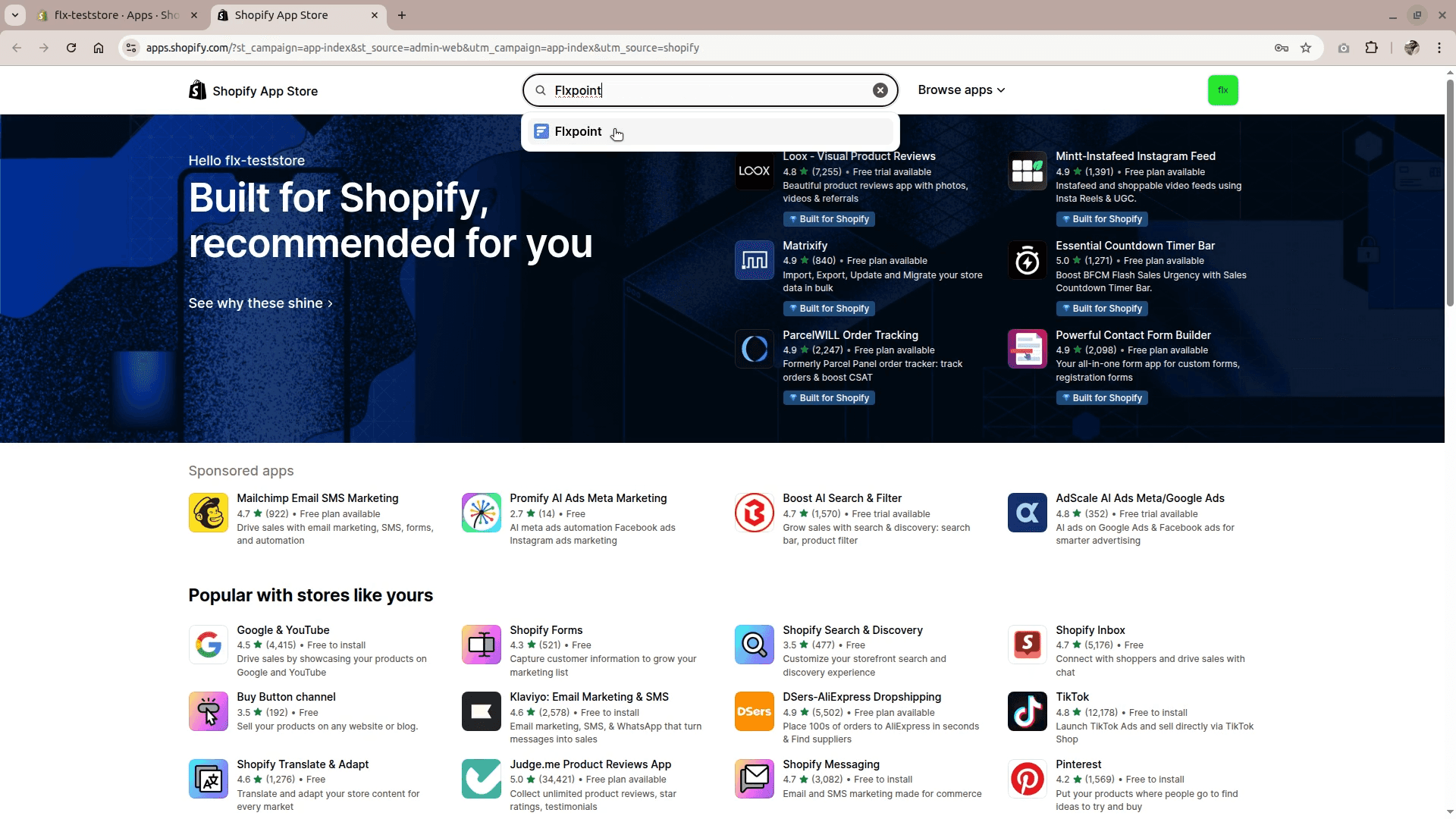
Navigate to the Shopify app store
From the left menu: Settings > Apps and sales channels > Shopify app store
Step 2
Install the Flxpoint App
Search for the Flxpoint app in the Shopify app store
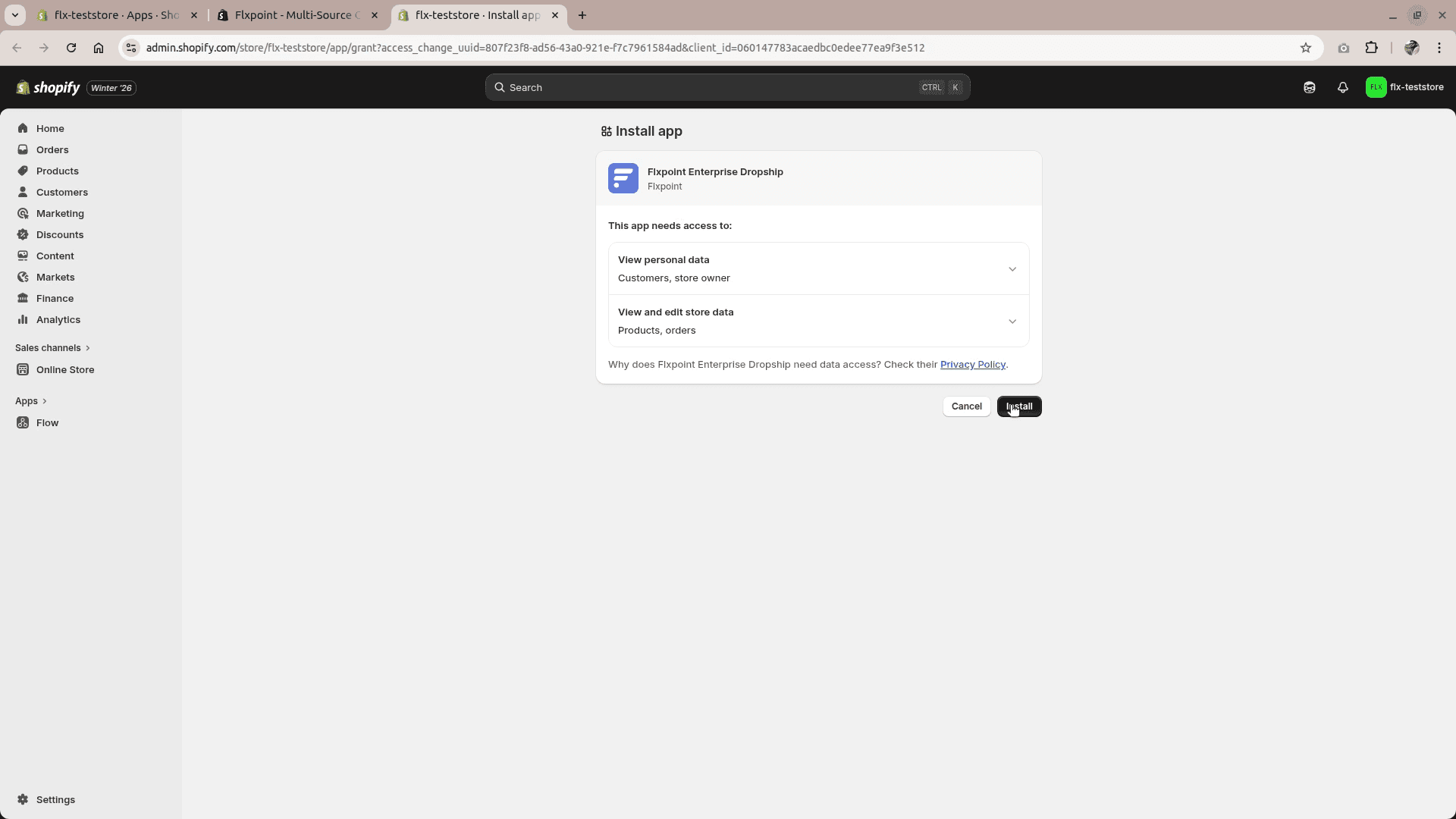
Click the Install button and review app permissions to complete the install
Step 3
Launch the Flxpoint App
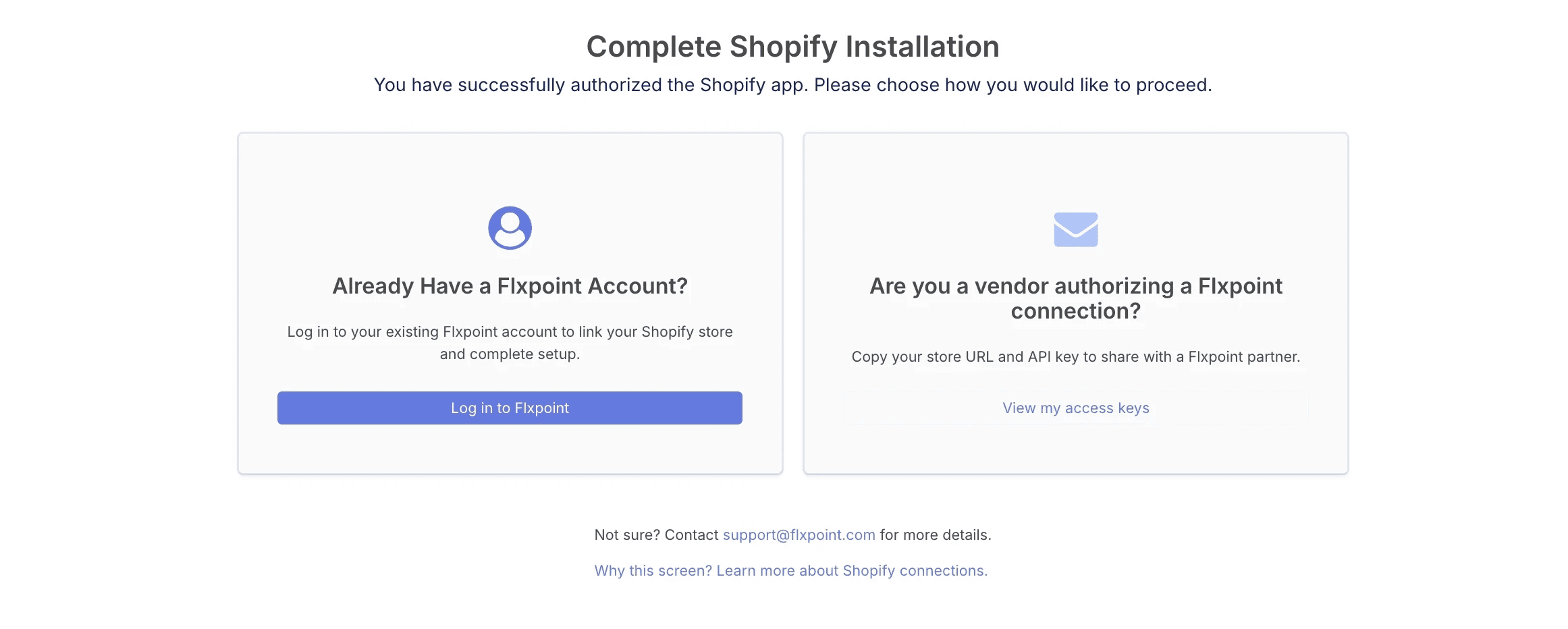
After installing the app, Shopify provides the credentials your Flxpoint contact needs to connect your store.
Click on View my access keys in the Are you a vendor authorizing a Flxpoint connection section.
Step 4
Copy Your Credentials
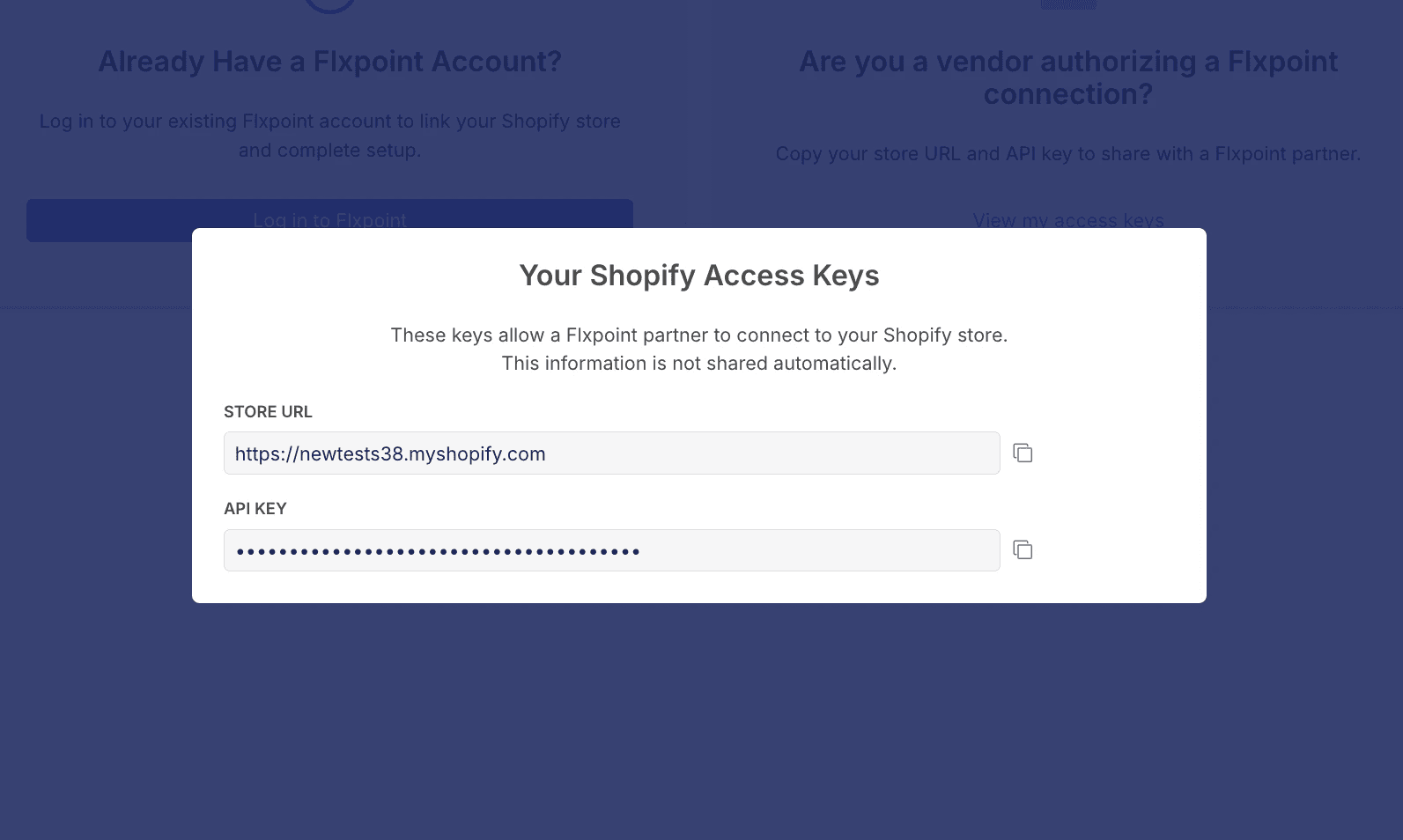
Store URL → Copy the Store URL
API Key → Copy the API Key
Be sure to store your access keys securely when they are created. You won’t be able to view them again and would need to re-authenticate to generate new ones.
Step 5
Enter the your credentials into the fields below and click submit.
The Insider
Sign up and recieve the latest news and offers.
Contact
© 2026 InHouse. All Rights Reserved.